

Categories: Accessories, Gaming, Mouse
Razer Basilisk V3 Pro 35K Wireless Gaming Mouse
699.00 QAR
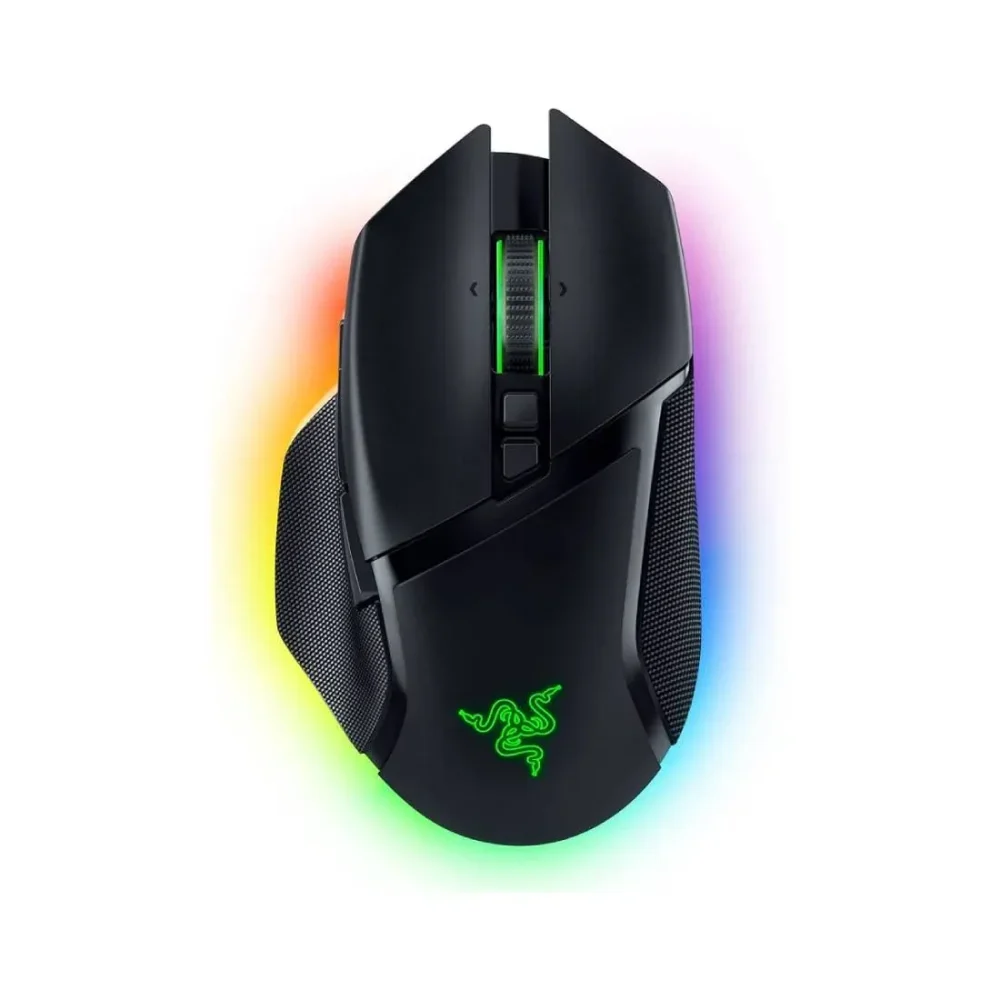
The Razer Basilisk V3 Pro 35K is a wireless ergonomic gaming mouse with a Focus Pro 35K Gen-2 optical sensor and a HyperScroll Tilt Wheel with three scroll modes. It has 13-zone Chroma RGB underglow, Gen-3 optical switches rated for 90 million clicks and up to 140 hours of battery on HyperSpeed Wireless. It connects by HyperSpeed, Bluetooth or USB-C.
The Razer Basilisk V3 Pro 35K is a wireless ergonomic mouse for players who want comfort and many controls. First, it has a right-handed shape with a thumb rest, so your hand stays relaxed. Also, it has a rich set of buttons and a smart scroll wheel. Overall, the Razer Basilisk V3 Pro 35K suits FPS, MMO, creative work and long sessions at your desk.
Focus Pro 35K Gen-2 Optical Sensor
Next, let us look at the sensor. The Razer Focus Pro 35K Gen-2 optical sensor goes up to 35,000 DPI, 750 IPS and 70G of acceleration. It tracks with 99.8% accuracy, according to Razer. In addition, you can set the sensitivity in Razer Synapse and change it on the fly with the DPI button. As a result, you can find the setting that fits your aim.
HyperScroll Tilt Wheel and Controls
Besides that, the HyperScroll Tilt Wheel has three scroll modes: notched, free-spin and smart-reel. You can also tilt the wheel left and right and set both to custom actions. Likewise, the mouse has a thumb trigger button on the left side and 11 programmable buttons. Hypershift doubles what each control can do. Because of this, you get up to 13 controls under your hand.
13-Zone Chroma RGB and Gen-3 Switches
Moreover, the mouse has 13 Chroma RGB zones with full underglow and 16.8 million colours. The lighting works with over 200 Chroma-integrated games. The Razer Optical Mouse Switches Gen-3 use a beam of light to register a click. They are rated for 90 million clicks. In addition, the buttons feel crisp and steady for long sessions.
Wireless Freedom and Charging
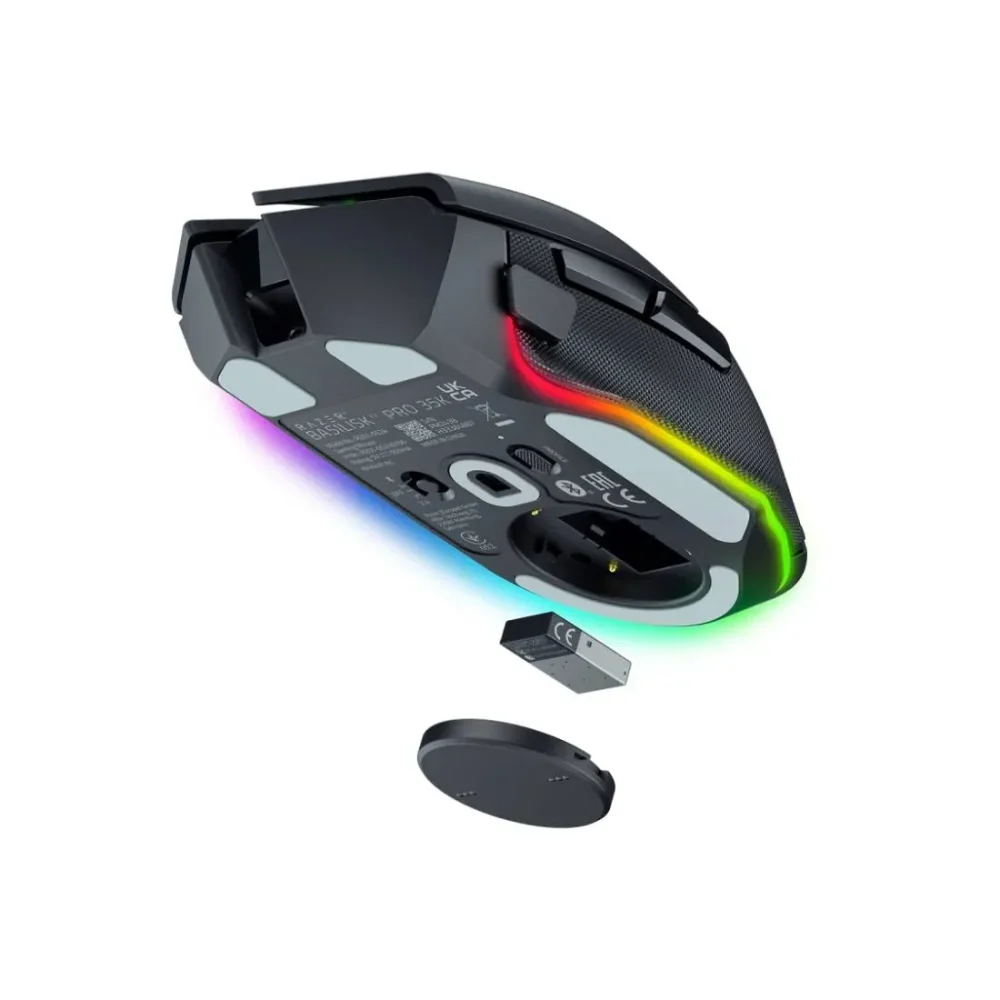
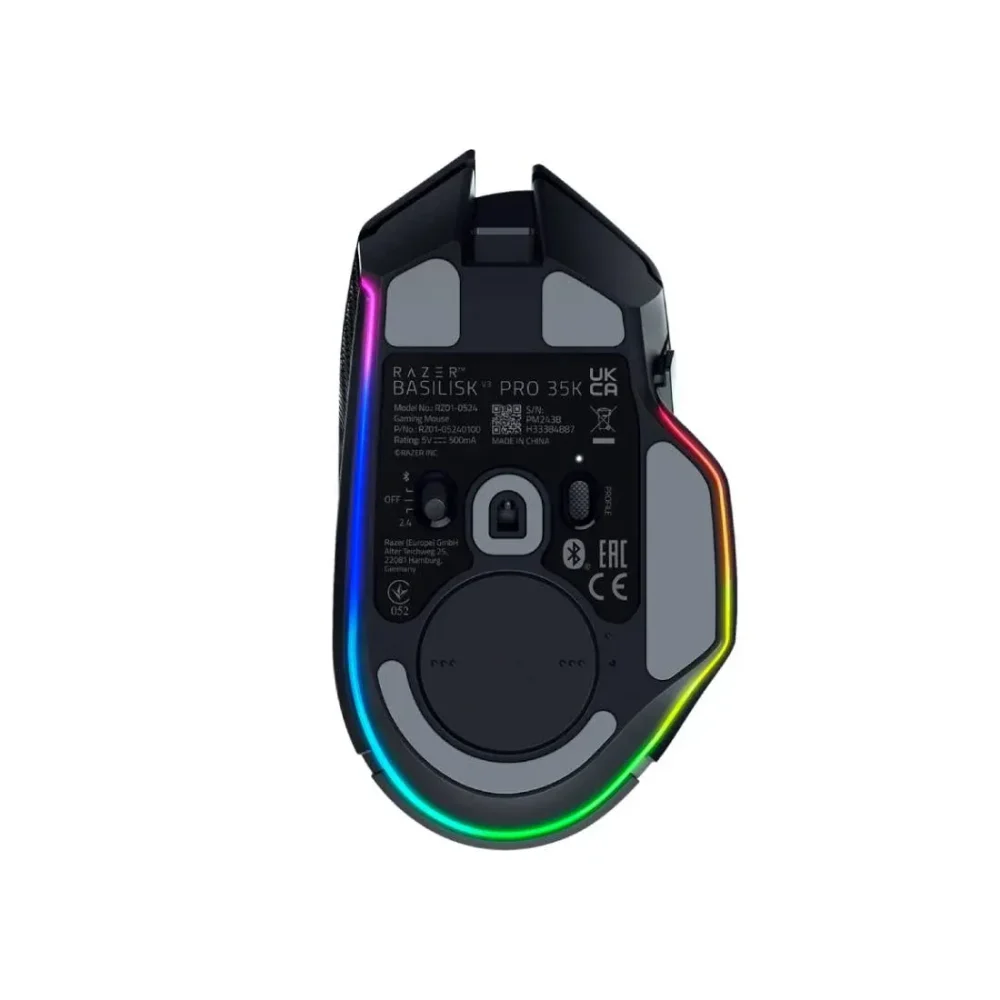
Finally, you can use Razer HyperSpeed Wireless, Bluetooth or the USB-C cable. The brand rates the battery at up to 140 hours on HyperSpeed Wireless. The cover on the underside stores the wireless dongle when you travel. You can also swap that cover for the Razer Wireless Charging Puck or use the Razer Mouse Dock Pro for wireless charging. Both are sold separately.
Key Features
- Right-handed ergonomic shape with a thumb rest and rubber grips
- Razer Focus Pro 35K Gen-2 optical sensor, up to 35,000 DPI
- Razer HyperScroll Tilt Wheel with notched, free-spin and smart-reel modes
- 11 programmable buttons, up to 13 controls with Hypershift
- Razer Optical Mouse Switches Gen-3, rated for 90 million clicks
- 13-zone Chroma RGB underglow, 16.8 million colours
- HyperSpeed Wireless, Bluetooth and wired USB-C connection
- Battery life up to 140 hours on HyperSpeed Wireless
- Wireless charging with Razer Mouse Dock Pro or Wireless Charging Puck (sold separately)
- Dongle storage in the underside cover
- On-board memory profiles
Specifications
| Spec | Detail |
|---|---|
| Brand | Razer |
| Model | Basilisk V3 Pro 35K |
| Part Number | RZ01-05240100-R3G1 |
| Type | Wireless ergonomic gaming mouse |
| Form Factor | Right-handed ergonomic |
| Connection | Razer HyperSpeed Wireless, Bluetooth, wired USB-C |
| Sensor | Razer Focus Pro 35K Optical Sensor Gen-2 |
| Max Sensitivity | 35,000 DPI |
| Max Speed | 750 IPS |
| Max Acceleration | 70G |
| Resolution Accuracy | 99.8% |
| Switches | Razer Optical Mouse Switches Gen-3 |
| Switch Life | 90 million clicks |
| Programmable Buttons | 11 |
| Scroll Wheel | Razer HyperScroll Tilt Wheel |
| Lighting | 13-zone Chroma RGB with underglow |
| Battery Life | Up to 140 hours (HyperSpeed Wireless) |
| Wireless Charging | Supported with Razer Mouse Dock Pro or Wireless Charging Puck (sold separately) |
| Size (L x W x H) | About 130 x 75 x 42.5 mm |
| Weight | About 112 g (without cable) |
| Colour | Black |
| Software | Razer Synapse |
FAQ
- Is the Razer Basilisk V3 Pro 35K wireless?
Yes. It connects by Razer HyperSpeed Wireless or Bluetooth. You can also use the USB-C cable. - How long does the battery last?
The brand rates it at up to 140 hours on HyperSpeed Wireless. Battery life depends on your lighting and settings. - How many buttons does it have?
It has 11 programmable buttons. Hypershift and the tilt wheel give you up to 13 controls. - What are the scroll wheel modes?
The HyperScroll Tilt Wheel has notched, free-spin and smart-reel modes. You can also tilt it left and right. - Can I charge it wirelessly?
Yes, with the Razer Mouse Dock Pro or the Razer Wireless Charging Puck. Both are sold separately. - Is it good for left-handed players?
It has a right-handed ergonomic shape with a thumb rest. It is not made for left-handed players.


